How Many Dead Pixels Qualify for a Warranty Replacement?
Whether a dead pixel qualifies for replacement depends on the defect type, panel class, location rules, and the exact warranty for your model and region. ISO 9241-307 may be referenced, but it does not replace the manufacturer's binding terms. The guide explains how to distinguish dead, stuck, and bright pixels, document a defect against solid colors, compare a retailer return route with an RMA, check replacement terms, and identify claims that require local policy or consumer-law advice rather than a universal answer.
Before you file a claim
| Check | Action |
|---|---|
| Is the return window still open? | Check the retailer’s terms before relying on the manufacturer’s pixel policy. |
| Can you isolate the defect? | Photograph it against red, green, blue, white, and black. |
| Is it bright or dark? | Bright defects often have tighter thresholds, but verify the policy. |
| Is it in the center or periphery? | Some brands apply location rules; others do not. |
| What does the warranty document actually say? | Read your model-specific policy, not a generic marketing page. |
A claim with photographs, defect type, and location documented from day one is easier for support staff to verify than a vague report filed weeks later.
You found a dead pixel on a new monitor. Can you get a free replacement? The honest answer is that it is considerably harder than most buyers expect, and the reason is structural rather than a matter of arguing effectively with support staff. Manufacturer pixel policies are written around an international standard that explicitly permits a certain number of defects, and a single dark pixel usually falls comfortably inside that allowance. Here is how to determine where you actually stand and which route gives you the best odds.
First, identify what you are actually looking at
Not every dark spot is a dead pixel, and the type determines your options:
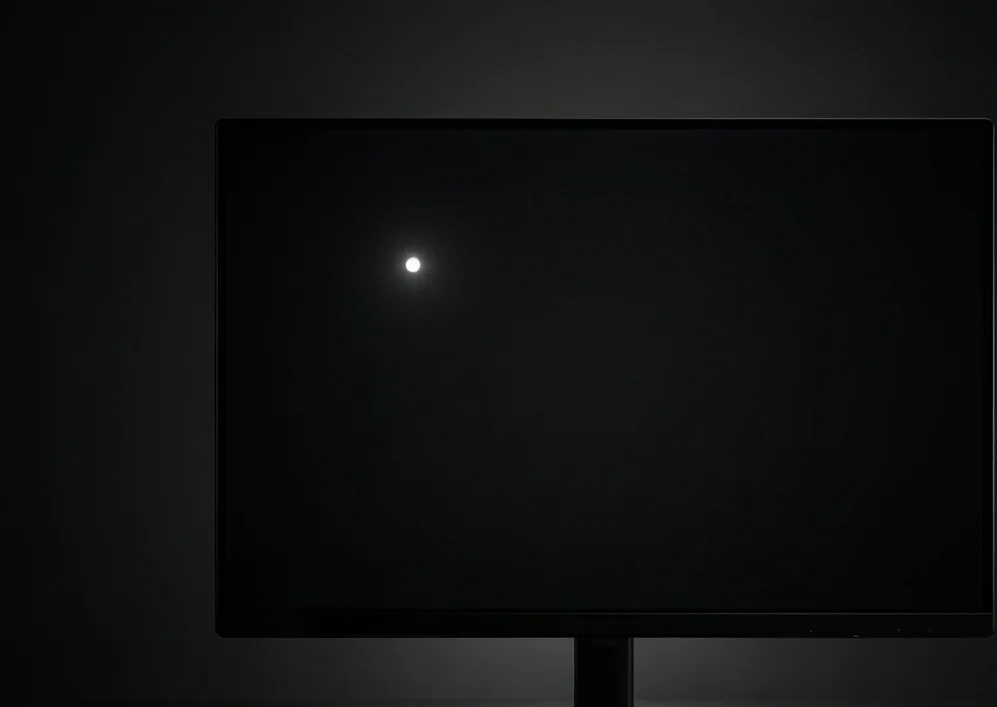
- Dead pixel — permanently unlit, appears black on every background color. A transistor failure. Not repairable, only replaceable.
- Stuck pixel — locked on one color, typically red, green, or blue. Sometimes recoverable with color-cycling software.
- Dust or debris — behind the panel glass or on the surface. Moves or changes appearance with viewing angle.
- Compression artefact — appears only in specific content, not on solid color backgrounds. Our dead pixel test fills the screen with solid red, green, blue, white, and black so you can distinguish these reliably. This matters before you contact anyone, because warranties treat bright and dark defects differently and support staff will ask you to characterise it.
The standard behind every policy: ISO 9241-307
Some manufacturers reference ISO 9241-307, the international standard for pixel defect acceptance, and others use their own pixel-policy rules built on similar defect-classification logic. The binding terms are always the warranty document for your exact model and region. Where a policy does reference ISO 9241-307, it typically establishes two things:
- Defect classes. Class 0 permits no defects whatsoever. Class 1 is very strict. Class 2 is moderate. Class 3 is the most permissive. Manufacturers select a class per product line.
- Zone-based counting. A permitted number of defective pixels of each type within a defined area, before a panel is declared out of specification. Note that specific zone definitions and location rules are often set by the manufacturer rather than mandated uniformly by the ISO standard itself.
This is the crux of the entire subject. When a support agent says your panel is “within ISO limits,” they are not deflecting; they are stating that your defect count sits below the contractual threshold, and therefore the panel is functioning as specified. That is why single dead pixels are frequently rejected under standard consumer-level policies, and why arguing about how much the defect bothers you does not change the outcome.
Why brand-level summaries are unreliable
Brand-level summaries are only starting points. Policies can differ by model, product tier, region, retailer, and purchase date, so verify the exact warranty document before filing:
Dell
Historically applies stricter pixel policies to premium and business lines than to mainstream consumer models. Business and premium lines such as UltraSharp displays are documented under separate warranty terms from consumer models, so a forum table mixing the two will mislead you. Look up your exact service tag or model number on Dell’s support site rather than comparing against a brand-wide summary.
LG
Varies by tier; gaming ranges commonly carry different terms from entry-level panels. The full model code matters: panels in the same nominal series can carry different suffixes for different regions or panel generations, and the pixel policy follows the exact code. Check the warranty document attached to your serial number on LG’s support site before assuming which tier your panel belongs to.
ASUS
Gaming sub-brands tend toward stricter thresholds than base consumer products. Some regions have run promotional zero-bright-dot terms on select ROG and ProArt models for limited purchase windows, which are then cited for years afterward as if they were permanent brand policy. Whether such a term applies depends on when and where the unit was bought, not on what a forum post from that period claims.
Samsung
Notably region-dependent and model-dependent; some ranges include zero-bright-dot terms, many do not. Regional subsidiaries publish their own warranty documents, so the same model can carry different pixel terms in different markets — the policy that applies is the one for the region where you bought the display, not where it was manufactured. Verify with your regional Samsung support page using the full model code. The broad pattern is that premium lines and explicit zero-bright-dot programmes may be stricter than mainstream lines, but this is not a substitute for the policy covering your exact product. Do not treat a brand-wide summary or a forum table as a warranty promise.
What genuinely improves your odds
Four factors materially affect which claim route is available and how the defect is assessed:
- Defect type. Bright or colored pixels are held to a tighter standard than dark ones in most policies, because they are more visually intrusive. A bright dot is a stronger claim than a black one.
- Position. Many policies apply tighter limits to the central viewing zone than the periphery. A center-screen defect is more likely to qualify than a corner one.
- The retailer return window. In many markets retailers offer a return window independent of the manufacturer threshold, but its length and conditions vary by country, retailer, purchase channel, and product condition. Check the terms of your own sale. This may be the simpler route if it remains open.
- Statutory consumer rights. Some jurisdictions grant protections that exceed the manufacturer’s written policy, particularly around satisfactory quality — for example the EU’s consumer sales rules, the UK’s Consumer Rights Act, and various state-level US protections. These differ substantially by country and region, so check the rules that apply where you bought the display before accepting a rejection as final. Nothing here is legal advice; your rights come from your local law and your purchase contract. Notice that two of the four have nothing to do with the manufacturer’s pixel policy at all. They are separate contractual or statutory routes, so assess them independently rather than trying to argue past a pixel threshold.
Test immediately, claim within the return window
The most useful practical habit is inspecting a new display within the first days of ownership rather than the first months. If the retailer’s terms permit a return or exchange, that route may avoid the manufacturer’s pixel threshold, though documentation and product-condition rules can still apply. After the return route closes, the same defect is more likely to become a warranty question governed by model-specific thresholds.

Document properly before you claim
If you are proceeding with a manufacturer claim, evidence quality affects how easily support can verify the report:
- Photograph the defect against red, green, blue, white, and black backgrounds.
- Include a wider shot establishing its position relative to the screen edges.
- Record the model and serial number from the rear label.
- Confirm consistency across colors, ruling out dust, flicker, and content artefacts. Unsupported reports may require follow-up. Clean documentation can make the defect easier for support staff to verify, but it does not guarantee approval.
Why pixel defects occur at manufacturing scale
A modern LCD panel contains millions of transistors — one per sub-pixel plus the wiring matrix — fabricated on a glass substrate through thin-film deposition and photolithography. A 4K display alone has over 24 million of them, and each must switch correctly for its sub-pixel to work. At that scale, a dust particle, a photolithography error, or a localised variation in layer thickness can produce a sub-pixel that does not switch correctly.
Actual panel-yield and defect figures are manufacturer-specific and generally not public, so no hypothetical percentage should be read as the defect count of a retail panel. Manufacturers are widely reported to address this through binning: panels are inspected after fabrication, graded by defect count, and sorted into tiers, with the cleanest reserved for premium lines that carry stricter pixel policies. This practice is described in industry reporting but is not documented per model — treat it as the general mechanism, not a guarantee for any specific product. It also explains why two monitors from the same factory can carry different pixel warranties, and why zero-dead-pixel guarantees command a price premium: the maker must either set aside exceptionally clean panels or absorb the cost of replacements.
The RMA process: what to realistically expect
Initial contact. Manufacturers typically require a support ticket with the model number, serial number, purchase date, and a defect description — some also ask for photographs or a diagnostic run. A well-documented submission (photos against solid colors, serial visible, defect position marked) reduces back-and-forth. Decision times vary by brand, region, and workload; the figures below are illustrative ranges, not promises.
Approval and shipping. An approved claim gets a Return Merchandise Authorisation number and shipping instructions. Some manufacturers cover return shipping; others require you to pay — illustrative costs run in the tens of dollars depending on panel size, destination, and carrier. Packaging matters: improvised packaging frequently causes transit damage that reclassifies the claim as physical damage, which may not be covered. If you discarded the original box, request one from the manufacturer or invest in a properly sized monitor shipping box.
Inspection and decision. The service center inspects the panel against the model-specific policy — some reference ISO classes, others their own rules. The outcome follows those terms and the service center’s verification, not a universal ISO threshold.
Resolution. Outcomes include a replacement panel, the same model, a refurbished unit, or a comparable current model, depending on terms and availability. Clarify whether the replacement resets the warranty clock or inherits the original purchase date, and test the replacement as soon as it arrives — refurbishment quality varies by programme, and a replacement that itself arrives with defects may support a further claim under the replacement terms.
Your next step
A single dark dead pixel is frequently not sufficient for free replacement under a standard warranty, because the class limits in policies that follow ISO 9241-307 were written to permit exactly that scenario. Your strongest levers are the retailer return window, the tighter treatment of bright defects, and statutory consumer rights where they apply. Read the warranty document for your specific model and region rather than trusting a brand-wide summary, and test any new display immediately, while the easy route is still available. If you are past the return window and below the threshold, you may re-test the panel periodically if the defect area changes — some policies assess on the current inspection result, so a developing cluster may be worth checking against the policy again. This does not guarantee approval, since many policies still apply the same class threshold regardless of when defects appear. The information here is general guidance, not legal advice — your actual rights depend on your local law and your purchase contract.