Keyboard Chattering: Clean, Swap the Switch, or Replace?
Keyboard chattering, where a single press produces two or more keystrokes, is most commonly a worn or contaminated switch contact, though firmware, USB connection, and OS input handling can occasionally mimic it. For one affected key on a hot-swappable board, replacing the switch is usually the simplest repair. For soldered boards or several failing keys, parts, labour, and risk can approach the price of a new keyboard. Cleaning helps only when contamination is plausible. Test the whole board first, then choose between cleaning, switch replacement, warranty service, and replacement based on the board's design and condition.
Your first five minutes
- Open a keyboard tester and type normally across the whole board.
- Count how many keys show duplicated keydown events for a single deliberate press.
- Check warranty status before opening the case — some manufacturers cover switch replacement.
- If one key and your board is hot-swappable, order a replacement switch.
- If multiple keys are affected, weigh the combined cost of parts and labour against the price of a new keyboard.
One key types two letters. A space bar inserts doubles. That is chattering, a common mechanical-keyboard fault that may still be inexpensive to repair. The mistake people make falls into two opposite camps: discarding an entire board that needed a targeted part, or cleaning the same switch repeatedly when the contact has simply worn out. This guide gives you the decision framework to know which situation you are in. For the related but distinct problem of keys not registering during simultaneous presses, see NKRO vs Ghosting.
First, confirm it is genuinely chattering
Before spending anything, verify the symptom properly. Our keyboard tester displays a live log of raw key events as your browser receives them. Press a suspect key once and observe: you should see exactly one keydown paired with one keyup. If you see two keydown events for a single press, particularly if it happens intermittently rather than every time, that key is chattering.
Work through the entire board rather than only the key that annoyed you. This single check answers the question that governs everything else: is this one switch or many? One failing key means a cheap targeted fix. Several means the batch is aging out and replacement is likely the rational call.
What causes it, mechanically
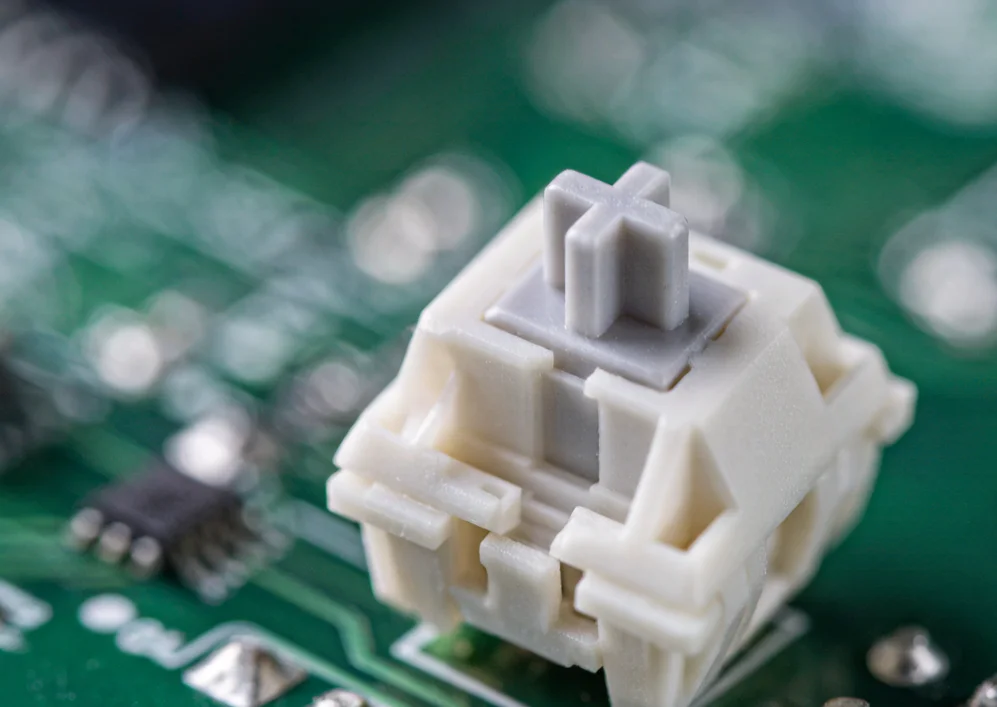
Chattering is most commonly a physical fault: worn or contaminated switch contacts. It can occasionally also come from firmware debounce settings, a lost key-up event, a marginal USB connection, keyboard controller quirks, or OS-level input handling (including remote-desktop and assistive software). In practice, the switch itself is by far the most frequent cause, so start there, but do not rule out the other paths before you test. Inside each mechanical switch, two metal contacts meet when the stem descends. Ideally they close cleanly and settle within a millisecond or two, and the controller registers one actuation. Over time three things degrade that behavior:
- Mechanical wear. Each press abrades the contact surfaces microscopically. After millions of actuations the mating surface becomes irregular and the contact bounces longer before settling.
- Oxidation. Exposed metal reacts with atmospheric moisture, forming a resistive layer that causes intermittent conduction. Humid environments accelerate this substantially.
- Contamination. Dust, skin oils, food particles, and dried liquid residue physically obstruct the contact or leave a conductive film. The controller cannot distinguish a bouncing contact from rapid deliberate presses, so it may report each one. Operating system settings normally produce key repeat when a key is held rather than random double registration on a brief tap, but drivers, remote-desktop software, and accessibility tools can mimic duplicate events. Reinstalling drivers is useful only after those software paths have been ruled out.
Option one — Clean it
Cost: low — example range: under $10 in materials for contact cleaner and tools. Success: worth trying when contamination is the likely cause; less effective when the contacts have physically worn. Clean safely and in this order: unplug the keyboard, remove the keycap, and clear surface dust with compressed air first. Only if you have confirmed your switch and manufacturer allow it, and only with the board unplugged, apply isopropyl alcohol sparingly with a cotton swab — never pour liquid into a switch, and avoid alcohol on switches whose lubrication or plastics may be damaged by it. Repeatedly actuating the stem while solvent is present is only safe for designs the manufacturer explicitly permits. When in doubt, skip the liquid and replace the switch instead. The decisive question is onset. If chattering appeared suddenly following a spill, a dusty period, or extended storage, contamination is plausible and cleaning is a sensible first attempt. If it developed gradually across months or years of regular typing, contact wear becomes more plausible and cleaning may provide little or temporary relief.
Option two — Replace the switch
Cost: commonly a few dollars for a switch plus any shipping. Outcome depends on correct diagnosis, switch compatibility, and the board’s condition; this is not a guaranteed repair.
On a hot-swappable board
This is usually the simplest repair path:
- An individual switch costs roughly $0.30 to $3 depending on type and brand — example price ranges that vary by region, supplier, and time.
- A switch puller costs roughly $5 to $10 once and remains useful indefinitely.
- No soldering, no heat, no risk to the circuit board. Extract the faulty switch, align the pins, press the replacement into the socket.
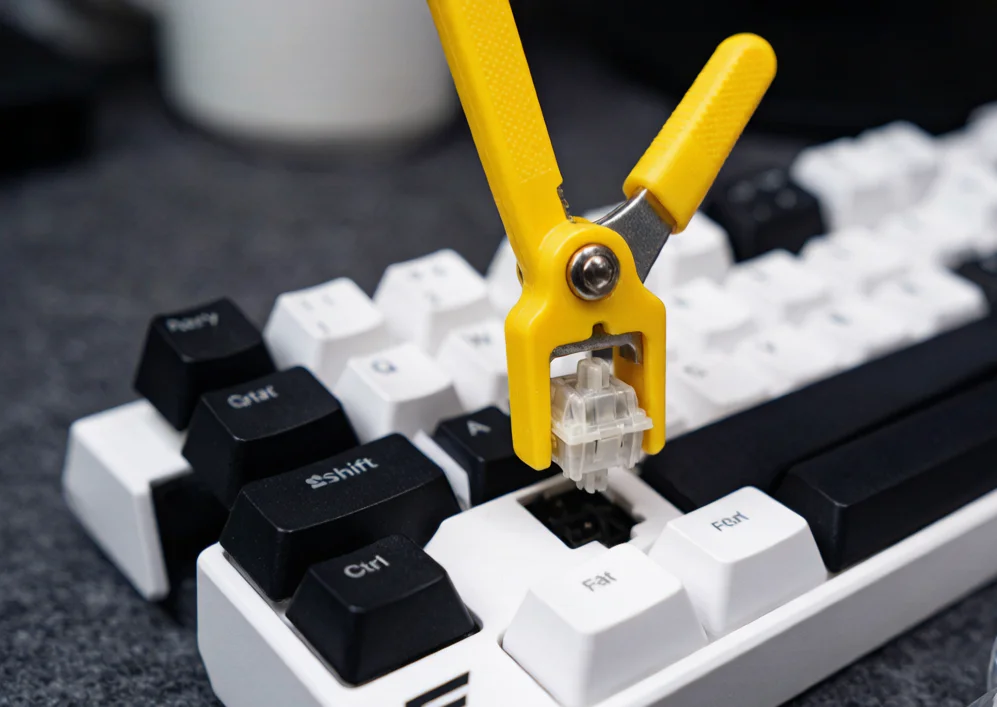 Once the diagnosis is confirmed, replacing the suspected switch directly addresses the likely failed component. Buy compatible spares if shipping costs more than the part, but do not assume every later failure will have the same cause.
On a soldered board
The same repair requires desoldering the old switch through the circuit board and soldering the replacement. This is achievable with a desoldering pump or braid and moderate skill, but it carries genuine risk of lifting a pad on a densely populated board. A soldered mid-range keyboard with chattering usually tips toward replacement unless the board holds particular value to you.
Option three — Replace the keyboard
Cost: varies. The right call more often than enthusiasts admit. Once several keys chatter, the arithmetic shifts. Replacing several switches plus a puller plus an hour of careful work can approach the cost of a competent new board, and the remaining switches share the same manufacturing batch and usage history, so further failures become more likely over time. How quickly that happens depends on switch quality and your usage; it is a judgment call, not a fixed schedule. You would be investing time and money into a component set that is collectively reaching end of life. For an inexpensive membrane keyboard or a soldered budget board, replacement usually wins even with a single fault, because membrane switches are not individually serviceable and the labour on a soldered budget board typically exceeds its residual value.
The decision tree
- One chattering key on a hot-swap board → check compatibility and replace that switch if the diagnosis is confirmed. The part and tool cost is often modest.
- One key on a soldered premium board → repair if you can solder competently; otherwise replace.
- Multiple keys on any board → compare the parts, labour, and remaining-life costs with replacement; a new board often makes more sense, but there is no universal key-count cutoff.
- Board still under warranty → file an RMA before opening anything, since self-repair may affect coverage.
- Sudden onset after a spill or dust → attempt cleaning first regardless of the above, since it costs almost nothing. Every branch of this tree depends on one fact: how many keys are affected. That is precisely what the keyboard tester establishes before you commit any money. One boundary to keep in mind: the tester logs the key-down and key-up events the browser actually received, which proves an event pattern but cannot read the electrical state of the switch contacts themselves.
A legitimate temporary measure
Boards running QMK, VIA, or comparable enthusiast firmware allow you to raise the debounce interval, telling the controller to disregard additional signals arriving within a set window after the first. This can mask visible double characters caused by light chattering. Understand what you are trading. Every keystroke on the entire board now carries that additional delay, and the underlying contact continues to degrade, meaning you will need progressively longer windows until typing feels unresponsive. Use it as a bridge while you order parts or arrange a warranty claim, never as the destination.
Switch contact designs: why some switches chatter sooner
Not all switches are equally prone to chattering, and the difference lies in how their contacts are engineered. Understanding the architecture helps you anticipate which switches are likely to fail and choose replacements that resist the problem. Leaf spring contacts, used in the majority of mechanical switches from Cherry MX and its clones, rely on a thin metal leaf that presses against a stationary contact plate when the stem descends. The leaf flexes, makes contact, and settles. Over millions of actuations, the contact point on the leaf wears smooth, then rough, then irregular. The surface area of the contact is small — roughly a square millimeter — which concentrates the abrasive force and accelerates wear. This design is cost-effective and reliable for its rated lifespan, but the small contact area means that even minor surface degradation produces noticeable bouncing. Buckling spring mechanisms, found in classic IBM-style designs and their modern successors, use a spring that buckles at a precisely engineered point to strike a membrane. The physical action is more decisive than a leaf spring contact, and the spring’s own tension helps settle the contact cleanly. These switches rarely chatter in the traditional sense because the mechanism either actuates or it does not, but the membrane they strike is subject to a different failure mode: conductive pad wear, which produces a different symptom — keys that fail to register at all rather than registering twice. Optical switches, a newer design used by several manufacturers, avoid the traditional metal-contact bounce mechanism. A light beam is interrupted by the stem’s descent and a sensor registers the actuation. Sensor thresholds, stem movement, controller logic, or firmware can still produce duplicate registrations, so optical designs reduce one common cause rather than guaranteeing immunity. Contact plating can affect oxidation resistance. Gold-plated or otherwise protected contacts may behave differently from unplated materials, but actual lifespan depends on switch design, environment, usage intensity, and manufacturing quality. Plating alone is not enough to predict when a switch will chatter.
Why the impact exceeds the frequency
A double press every few hundred keystrokes may sound minor, but the intermittent timing makes it disruptive. In tactical shooters a chattering bind can trigger an action twice — a weapon switch that overshoots or a crouch toggle that immediately reverts. In programming and writing, a doubled semicolon or parenthesis produces syntax errors and corrupted formulas that surface late. Over weeks this erodes trust in the keyboard, which is why a repair at the switch level matters more than the raw double-press count suggests.
What to do, in order
Chattering is often a worn or contaminated switch contact, but connection and software paths can mimic it. Test first, count the affected keys, then match the response to the board design, repair risk, warranty, and cost. A hot-swap board may make a single-key repair straightforward; several failing keys or a soldered budget board may make replacement more practical. Do not keep cleaning a switch that has physically worn, and do not discard a keyboard before checking whether one targeted repair is reasonable.